Each Artifact Is Its Own Site
Every artifact has its own web address and its own sign-in session, so one artifact can't read another's data or cookies.
https://astrodock.ai/llms.txt
Illustration: an AI agent is asked to build a volunteer sign-up sheet and share it. It reads astrodock.ai/llms.txt, sends the person a link to verify their email, builds the artifact, shares it with three people, and gives its address.
Astrodock
Your AI builds a dashboard, a to-do list or a full app. Astrodock gives it a link, sign-in for the people you share it with, and a place to save its data.
Give This to Your AI
Read https://astrodock.ai/llms.txt, then use Astrodock to build this and share it with me:
Your AI sends you a link to verify your email, then builds it. Artifacts are free for up to 3.
How It Works
Copy the prompt above, or download the instructions file into your project. This works with Claude Code, Codex, Cursor and other AI agents that can run commands.
Your AI sends you a link with your email address filled in. Press Send Code, then enter the 6-digit code we email you. This creates your free account.
Your AI builds the app, shares it with the people you name, and sends you its address.
Options
Artifacts
Free for up to 3 artifacts
Astrodock Cloud
From $25 a month, opening soon
Self-Hosted
Free for personal use
Compare Astrodock Artifacts With Claude, ChatGPT and Perplexity →
Security
Sign-in, permissions and agent keys are handled by the platform, not by each app's code.
Every artifact has its own web address and its own sign-in session, so one artifact can't read another's data or cookies.
Astrodock checks every read and write against the artifact's rules. A page can't show or change data the person isn't allowed to.
App users get accounts, passkeys and two-factor. Artifact guests sign in with a 6-digit code sent to their email.
An agent's key works for one app, or for artifacts only. Anything broader waits for you to approve it with your passkey.
API keys and settings are stored encrypted on the platform, never in the code.
For each artifact, page views, sign-ins, changes to data and errors are logged and kept for 90 days.
Apps on a Server
Your agent lists what the app needs in one file, app.json. Astrodock sets
it up on the first deploy.
Accounts, passkeys and two-factor for your app's users. You choose who can open each app.
How Sign-In Works →Its own Postgres database and storage bucket. Or connect your own, like Neon or R2.
How Data Works →From Git, from a folder, or by your agent. Every build is kept with its log.
How Deploys Work →API keys and settings are stored encrypted on the platform, never in the code.
How Secrets Work →Every app gets its own subdomain and certificate. Add your own domain at any time.
How Addresses Work →Health checks with email alerts, live logs, and nightly database backups.
How Monitoring Works →Dashboard
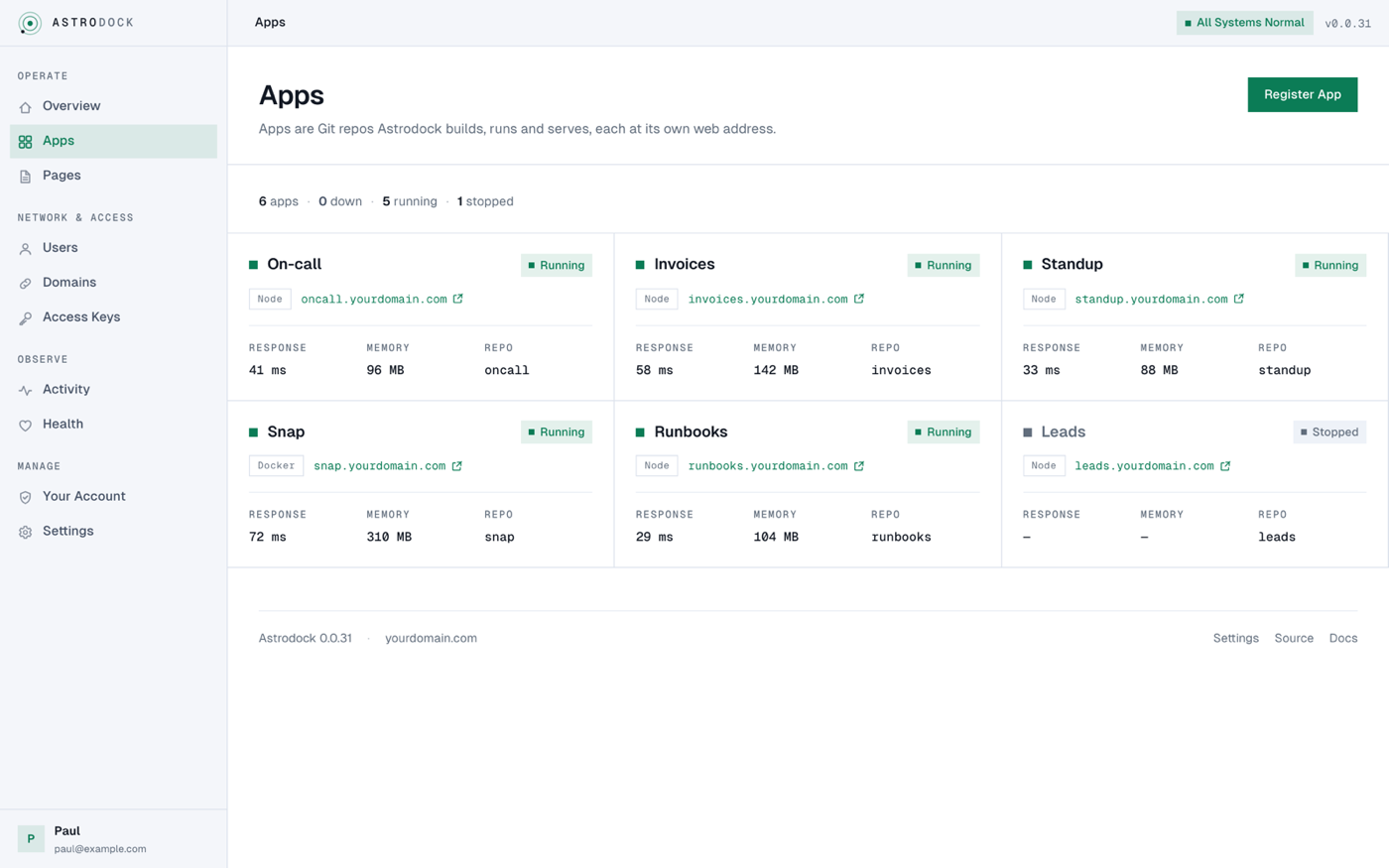
See what's running, where it lives and how it's doing. Manage people, settings and deploys from the same screen.
How It Works
Describe the tool you want and tell the agent to host it on Astrodock.
The agent runs astrodock login. You sign up or sign in, and approve its
key for that one app with your passkey.
The agent builds and deploys it, and tells you the address when it's live.
Agents
AGENTS.md tells an agent how to lay out an app, what it will be given,
and how to deploy. Point Claude Code or Cursor at it.
astrodock deploy:watch streams the build and ends in success or
failure, so the agent can fix its own mistakes.
An agent's key works for one app. Anything beyond that waits for you to approve it with your passkey.
See all plans. Self-hosting is free for personal and noncommercial use.